
What Is 3D Modeling? A Complete Beginner’s Guide to Uses, Types & Applications (2026)
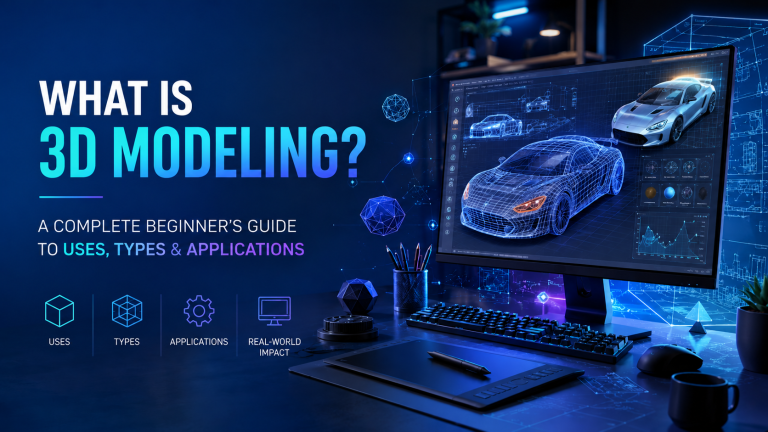
What Is 3D Modeling? A Complete Beginner’s Guide to Uses, Types & Applications (2026)
Introduction
Technology has transformed the way we design, build, and visualize ideas, and 3D modeling is at the heart of this revolution. From blockbuster movies and video games to architecture, engineering, healthcare, and product design, 3D modeling helps professionals create realistic digital representations of objects before they exist in the real world.
Whether you’re a student, designer, gamer, or business owner, understanding 3D modeling can open doors to countless creative and professional opportunities. In this guide, you’ll learn what 3D modeling is, how it works, its different types, popular software, and the industries that rely on it every day.
What Is 3D Modeling?
3D modeling is the process of creating a three-dimensional digital representation of an object using specialized computer software. Unlike a flat 2D image, a 3D model has height, width, and depth, making it appear realistic from every angle.
A 3D model is built using points, edges, and polygons that form a mesh. Designers can add textures, colors, lighting, and animations to create highly detailed visualizations for various purposes.
Simply put, 3D modeling allows designers to turn ideas into realistic digital objects before manufacturing, construction, or animation begins.
How Does 3D Modeling Work?
The 3D modeling process generally follows these steps:
1. Concept Creation
Designers start with sketches, blueprints, or reference images.
2. Modeling
Using software, they build the object’s shape by manipulating vertices, edges, and polygons.
3. Texturing
Materials, colors, and surface details are added to make the model look realistic.
4. Lighting
Virtual lights simulate real-world lighting conditions.
5. Rendering
The software converts the model into a realistic image or animation.
6. Exporting
The finished model can be used for games, animation, architecture, manufacturing, or 3D printing.
Types of 3D Modeling
Different projects require different modeling techniques.
Polygon Modeling
The most common method used in gaming and animation. Objects are built using polygons.
Best for:
Video games
Movies
Character design
Product visualization
NURBS Modeling
Uses mathematical curves instead of polygons, creating smooth and precise surfaces.
Best for:
Automotive design
Industrial products
Engineering
CAD Modeling
Computer-Aided Design (CAD) focuses on precision measurements and technical drawings.
Best for:
Manufacturing
Mechanical engineering
Architecture
Sculpting
Digital sculpting allows artists to create highly detailed organic models.
Best for:
Characters
Creatures
Movies
Games
Popular 3D Modeling Software
Several professional tools are available depending on your goals.
Blender (Free)
Autodesk Maya
Autodesk 3ds Max
SketchUp
Cinema 4D
ZBrush
SolidWorks
Fusion 360
Rhino 3D
Houdini
Each software offers unique features for animation, engineering, architecture, or product design.
What Is 3D Modeling Used For?
3D modeling has become essential across many industries.
Architecture
Architects create realistic building designs before construction begins.
Benefits
Better planning
Accurate visualization
Improved client presentations
Video Games
Game developers create characters, environments, vehicles, and weapons using 3D models.
Examples include:
Characters
Buildings
Maps
Props
Film and Animation
Movies rely on 3D models for visual effects, animated characters, and virtual environments.
Examples include:
Animated films
CGI effects
Visual storytelling
Product Design
Companies create digital prototypes before manufacturing products.
Examples:
Smartphones
Furniture
Electronics
Home appliances
Engineering
Engineers use precise CAD models to manufacture machines and mechanical parts.
Healthcare
Medical professionals use 3D models for:
Surgical planning
Prosthetics
Medical education
Organ visualization
3D Printing
Digital models are converted into physical objects using 3D printers.
Applications include:
Toys
Medical implants
Industrial parts
Prototypes
Benefits of 3D Modeling
Using 3D modeling offers several advantages.
Better Visualization
Designers can view products from every angle before production.
Cost Savings
Finding design errors early reduces manufacturing costs.
Faster Development
Digital prototypes speed up product development.
Improved Communication
Clients can easily understand realistic visual designs.
Easy Modifications
Changes can be made without starting from scratch.
Industries That Use 3D Modeling
Many industries rely on 3D modeling every day.
Architecture
Construction
Engineering
Manufacturing
Automotive
Aerospace
Healthcare
Interior Design
Video Game Development
Film Production
Advertising
Product Design
Education
Fashion
Jewelry Design
How to Learn 3D Modeling
If you’re interested in becoming a 3D artist, follow these steps.
Learn the Basics
Understand shapes, geometry, lighting, and perspective.
Choose Software
Beginners often start with Blender because it is free and powerful.
Practice Daily
Create simple objects before moving to complex projects.
Watch Tutorials
Online tutorials can help improve your workflow.
Build a Portfolio
Showcase your best work to attract clients or employers.
Future of 3D Modeling
The demand for 3D modeling continues to grow with technologies like:
Artificial Intelligence (AI)
Virtual Reality (VR)
Augmented Reality (AR)
Metaverse experiences
Digital Twins
3D Printing
Robotics
Smart Manufacturing
As these technologies evolve, skilled 3D artists and designers will remain in high demand.
Frequently Asked Questions
Is 3D modeling difficult to learn?
No. Beginners can learn the basics within a few weeks through regular practice, while mastering advanced techniques takes more time and experience.
Which software is best for beginners?
Blender is widely recommended because it is free, feature-rich, and supported by a large learning community.
Can I earn money with 3D modeling?
Yes. Many professionals work as freelance 3D artists, game developers, architects, product designers, animators, and visualization specialists.
Is coding required for 3D modeling?
No. Most 3D modeling software can be used without coding. However, scripting can help automate repetitive tasks in advanced workflows.
What industries hire 3D modelers?
Architecture, gaming, animation, film, manufacturing, healthcare, engineering, advertising, and product design all employ 3D modeling professionals.
Conclusion
3D modeling is one of the most valuable digital skills in today’s technology-driven world. It enables designers, engineers, architects, and artists to transform ideas into realistic digital models that can be visualized, tested, and refined before production. Whether you’re interested in game development, architecture, animation, manufacturing, or product design, learning 3D modeling can unlock exciting career opportunities and creative possibilities. With powerful software and abundant learning resources available, now is an excellent time to begin your journey into the world of 3D modeling.